1 Feature
Your whole listing, written from your photos
Add a few photos. In about five seconds, Okizy writes the title, the description, the brand, the size, the condition and a fair price. You read it once and change what you like.
Sign up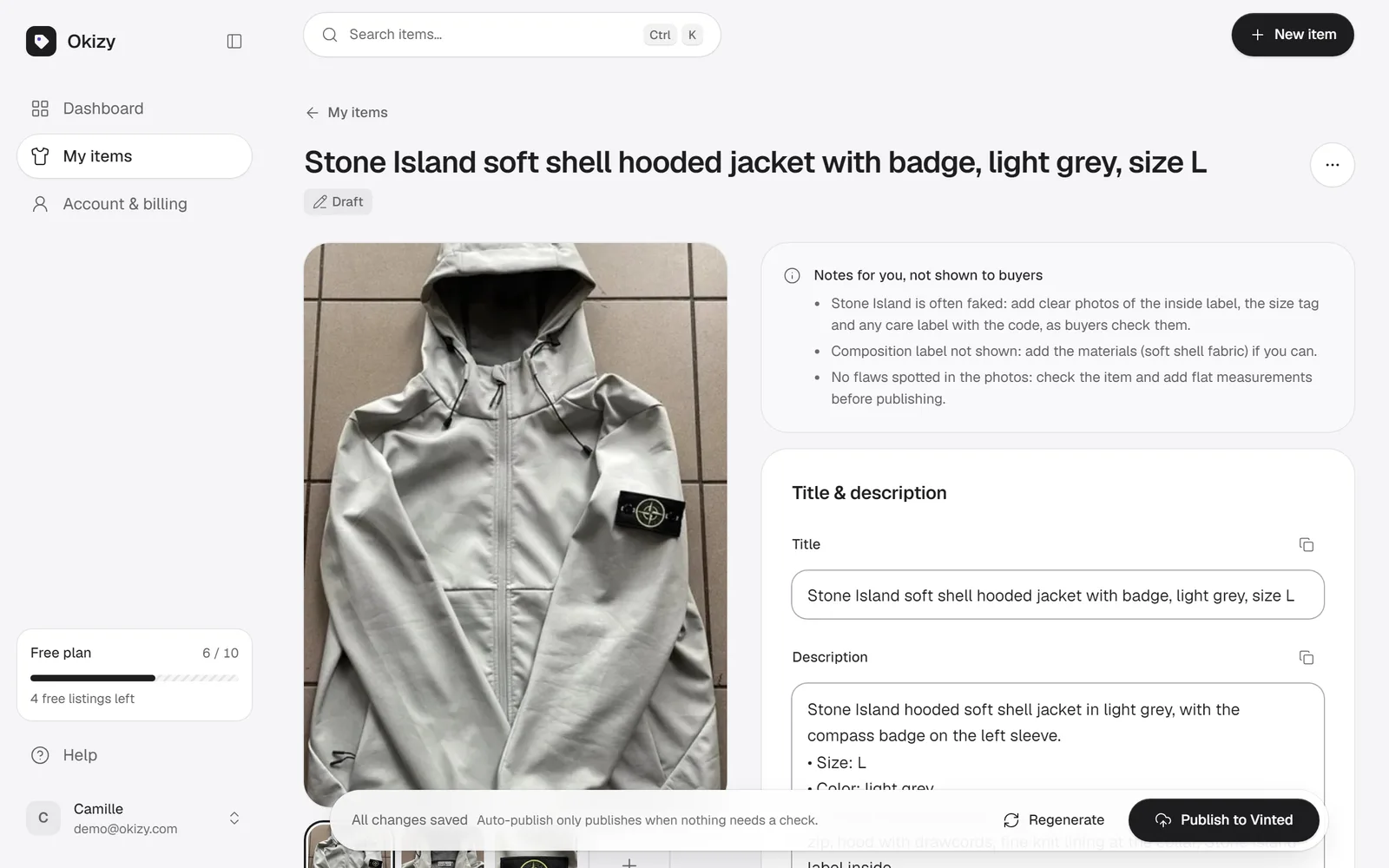
How it works
Step 1: Add your photos
From your phone or your computer. Show the whole item, the label and any flaws.
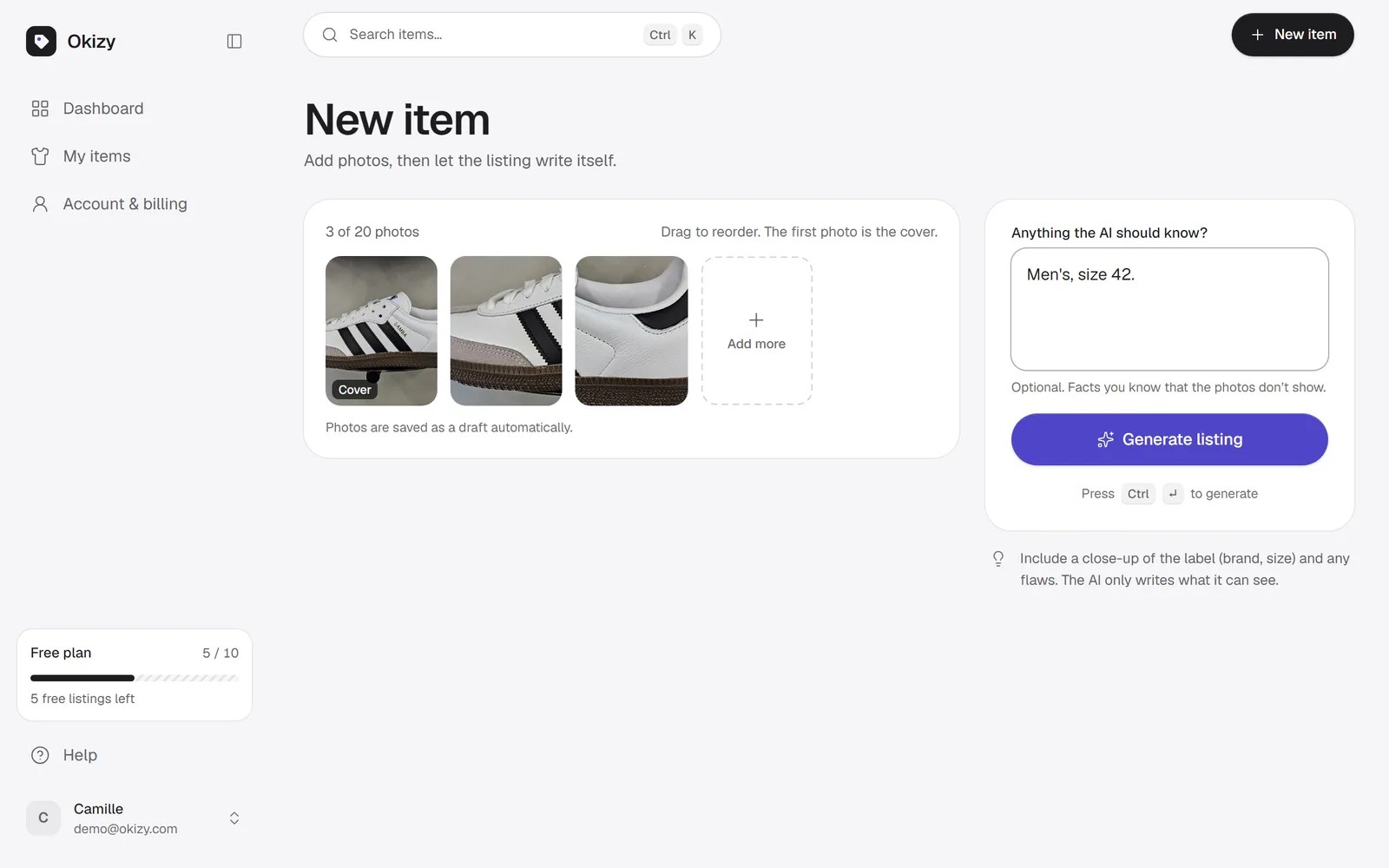
Step 2: Okizy writes it
Title and description in clear, honest words, with the details buyers look for.
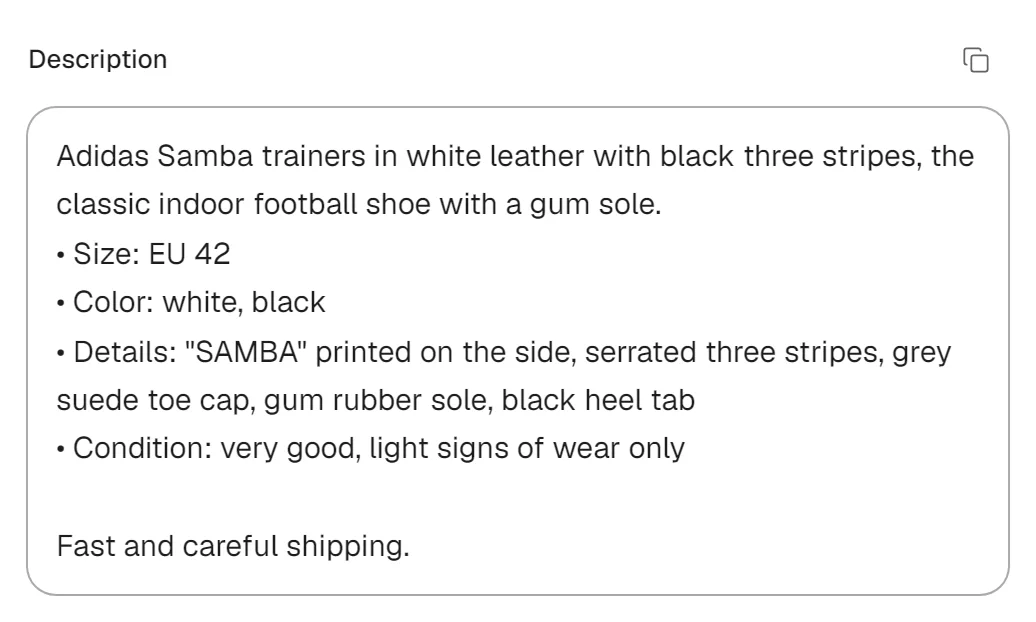
Step 3: Check and change
Brand, size, condition, colours and price are filled in. Every field stays editable.
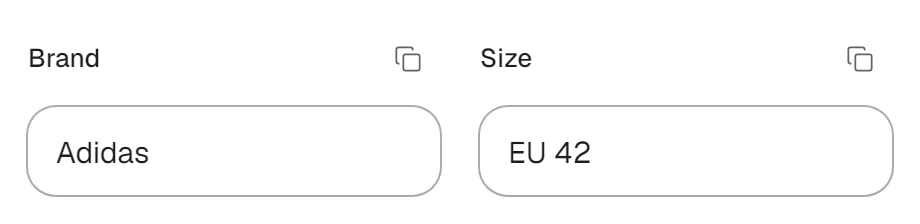
What you get
- Title and description written from your photos
- Brand, size, colours and condition filled in
- Honest description with visible flaws
- Suggested price with a short reason
- Never invents a brand or size
- Every field editable
FAQ
Listing: your questions
More answers on the home page.
No. When a label isn’t visible, Okizy leaves the field empty and tells you what to add. You can also give it facts in a note, like “Levi’s, W27 L30”.
Yes. Every field stays editable, and you can ask for a new version after adding a note.
It suggests a price from the brand, the model and the condition it sees in your photos, with a short reason. You decide the final price.
The whole item, the label with the brand and size, and any flaws, in good light. The AI reads your first 8 photos.